

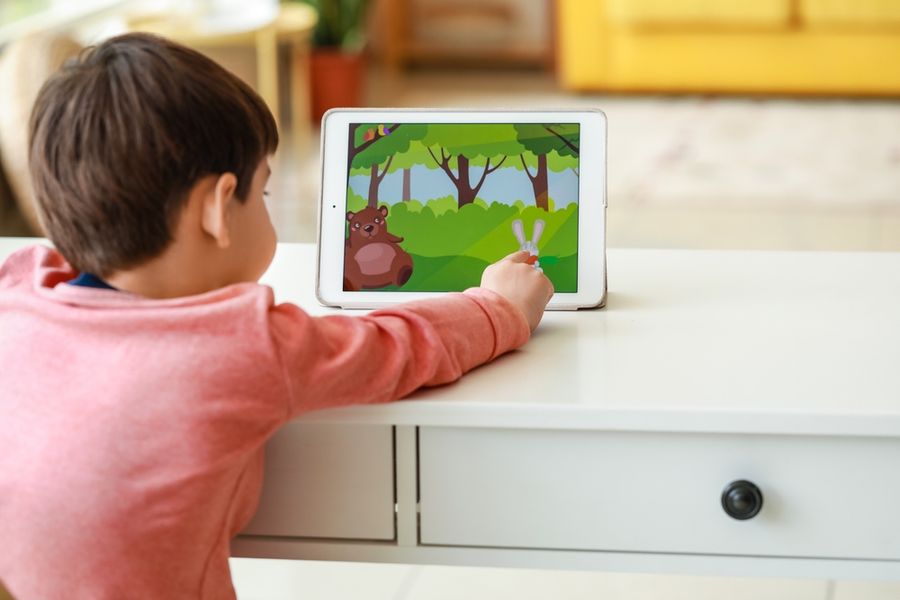
Choosing a tablet for a child is more than picking a device with a good screen and fun apps. Parents want tools that are safe, easy to use, and built with features that guide healthy screen habits. A kid-friendly tablet with solid parental controls helps families balance fun and learning while keeping content appropriate. Understand key features to consider when selecting a tablet that works well for kids and gives parents peace of mind.
Popular Kid-Friendly Tablet Options to Consider
Several tablets are commonly chosen by families because they balance usability with parental controls. Amazon Fire Kids tablets are known for strong built-in controls, durable cases, and curated kid content. Apple iPads paired with Apple Screen Time offer flexibility and long-term use, especially for older kids.
Meanwhile, Samsung Galaxy tablets with Samsung Kids provide a middle ground, combining Android flexibility with kid-focused modes. Each option differs in ecosystem and controls, so the best choice depends on your child’s age, the apps you want, and how much customization you prefer.
Strong Built-In Parental Controls
The most important feature for many parents is strong parental controls that come built into the tablet. These controls should let you set limits on screen time, block inappropriate content, and control which apps are accessible. Systems that allow time windows, such as no screen time during homework or bedtime hours, are especially useful.
Good parental controls also let you review what a child is using and how much time they spend on each app. Some include activity summaries or alerts for blocked content. These tools help parents guide habits rather than simply restrict access.
Age-Appropriate Content Libraries
A kid-friendly tablet should offer a library of age-appropriate content. Many devices designed for children include curated app stores or learning sections that filter out unsafe or mature content. This reduces the risk that a child will download something they do not need or that is beyond their age level.
Look for tablets that categorize apps by age and learning level. Some systems recommend educational content, games that build skills, and books that support reading. These features help parents choose content that aligns with family values and a child’s development stage.
Durable Design and Kid-Safe Build
Kids are not always gentle with devices, so durability matters. A kid-friendly tablet should be able to tolerate drops, bumps, and accidental spills. Many tablets aimed at children come with protective cases designed to absorb impact and keep the device safe.
Some models also include screen protectors or reinforced edges. These physical features reduce the chance of costly repairs and help the tablet withstand everyday use. A sturdy design also makes it easier for parents to feel confident letting their children use the device independently.
Long Battery Life for Everyday Use
Battery life is another key factor, especially for families who use tablets for travel, homework, or quiet time. A tablet that lasts through school projects, road trips, or long car rides without frequent charging is more reliable and easier to manage.
Check the battery performance claims and real-world use reports from other users. Long battery life reduces the need to constantly look for outlets and helps the tablet remain available when needed most.
Ease of Setup and Management
Parents often appreciate tablets that are easy to set up and manage. A straightforward initial setup makes it possible to get parental controls, accounts, and user profiles configured quickly. Some tablets include step-by-step guides that help parents assign controls based on age, time limits, and content filters.
Managing settings over time should also be simple. Look for devices with clear parent dashboards or companion apps that let you adjust controls from your own phone or computer. This convenience saves time and makes it easier to respond to changing needs as kids grow.
Growth and Learning Potential
A great kid-friendly tablet is not just about entertainment. It should support growth, curiosity, and learning. Some tablets include built-in access to educational tools like math games, reading platforms, creative apps, and coding lessons.
Tablets that support multiple user profiles make it easier for families with more than one child. This allows each child to have a personalized experience with age-appropriate content and progress tracking. A tablet that grows with your child can provide value for years.
Balancing Fun With Peace of Mind
Choosing a kid-friendly tablet with strong parental controls means balancing fun features with safety and ease of use. Look for devices with built-in controls that match your parenting style, age-appropriate content libraries, and durable design.
Long battery life and easy setup make daily use smoother, while learning-focused features add lasting value. By focusing on these key areas, parents can select a tablet that supports both enjoyable screen time and healthy habits.